Workshop: Week 2
Work through the following exercises with your group.
Choose one member of the group to be the group navigator. The group navigator must connect their laptop to the table screen and guide the group through the exercises. You can rotate navigator each week.
Each of you should complete the exercises on your laptop, using the RStudio project you created for the course (do not just watch the navigator).
If you are unsure about anything, please ask us for directions!
The tasks are designed for you to practice this week’s R skills.
For feedback on the worksop tasks throughout the course, ask us in class and/or send your work to Stefano and/or come to Stefano’s office hours (you can also come in groups).
We will not provide you with model answers, so make sure you make the most of us in person.
Open RStudio as you would open any other application/programme (this depends on your operating system).
RStudio reopens the last open project. That might be the RStudio project you created for the R basics chapter in the course textbook.
Check that the project name is visible in the top-right corner of RStudio. If it says
Project (none), you are not working in a specific project. You should always make sure that the intended project name is visible in the top-right corner of RStudio.Now close RStudio.
Navigate to the folder of the course Quarto project (maybe you called this
qml-2026) in Finder/File Explorer on your laptop (outside of RStudio). Double click on the.Rprojfile to open that project in RStudio.Now create a new Quarto project called
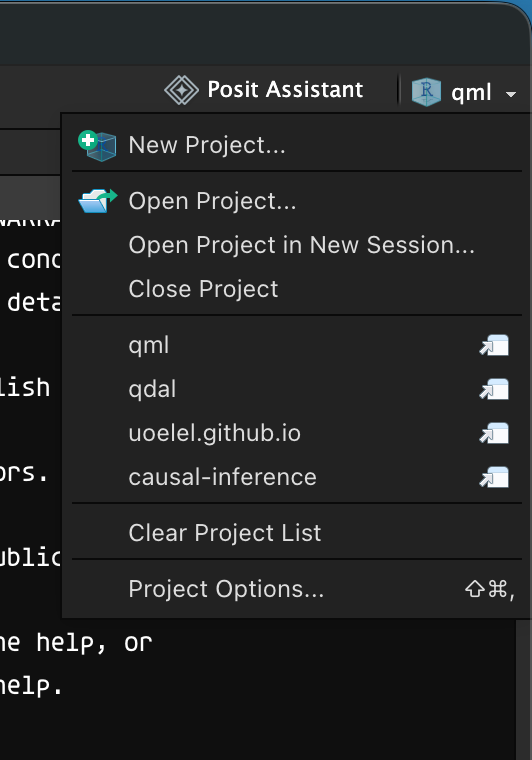
test-project. Close RStudio and open the project by double clicking on the.Rprojfile of thetest-projectQuarto project.Click on the project name in the top-right corner of RStudio to show the project drop-down menu (see example below).
- Try the
Open Project...,Open Project in New Session...,Close Projectmenu items and switch projects from within the project list. What do each of these do?
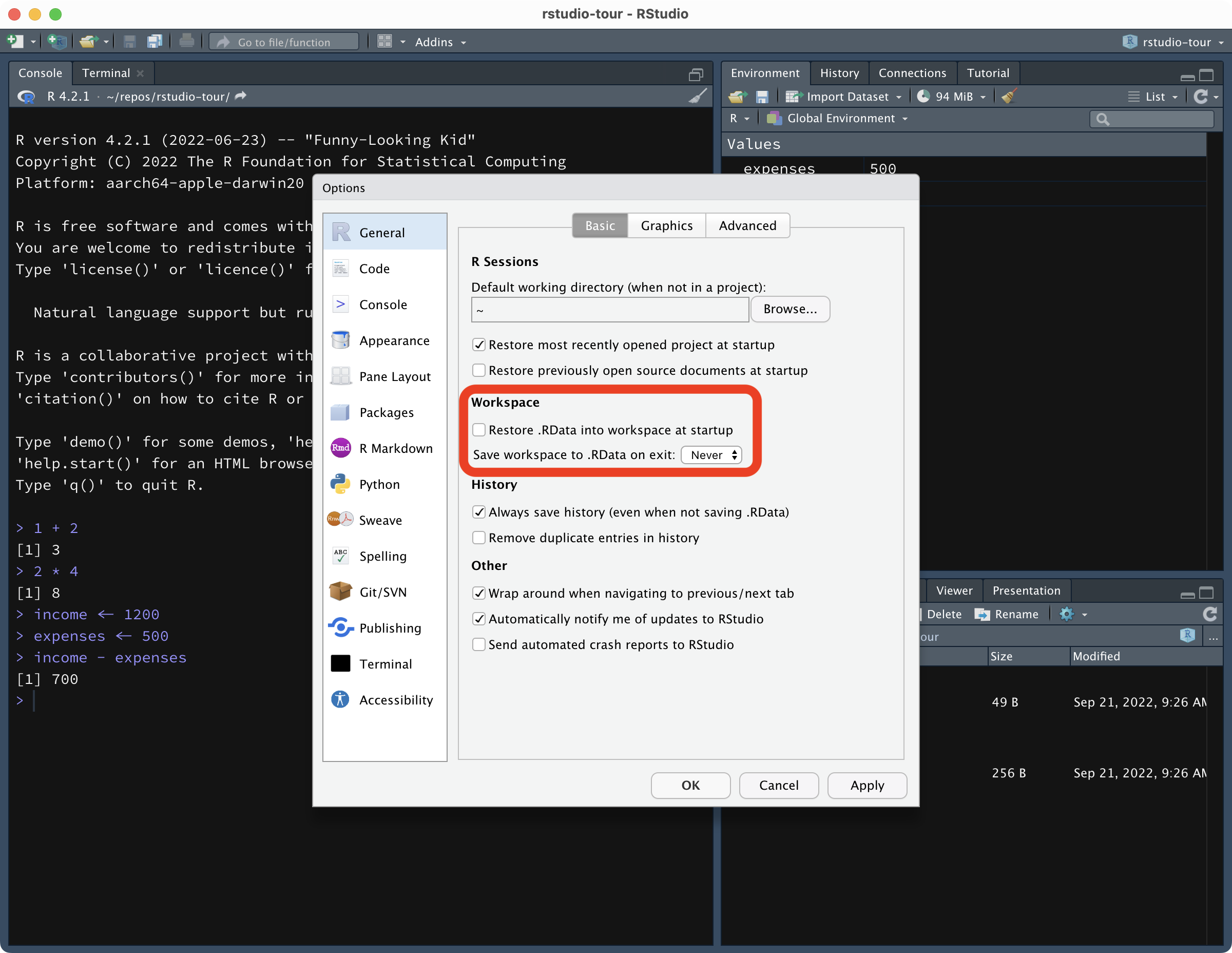
Make sure that everyone in your group has the correct RStudio settings, as per https://stefanocoretta.github.io/qdal/ch-r-rstudio.html#a-few-important-settings. What do those settings do?
Calculate the following.
- The sum of two numbers.
- The product of three numbers.
- The square root of 961.
- The square of 12.34.
- The mean of 10, 21.5, 3, 5.7.
Do the following.
- Assign a single value to a numeric vector.
- Assign many values to a numeric vector.
- Create a character vector with your first name and one with your surname. Use the variable names
firstandsurname. - Now print out in the R console
Hello! My first name is FIRST and my surname is SURNAME(whereFIRSTandSURNAMEare your first name and surname. You must use the character vectors you created above. - Assign two numbers to two vectors and assign their sum to another vector names
the_sum. - Take the square of
the_sum.
Read the following data in R.
tucker2019/mald_1_1.rdsegurtzegi2020/eu_vot.csvbrentari2024/verb_org.csvGo to https://datashare.ed.ac.uk/handle/10283/4006, download the file
conflict_data_.xlsx, and save it indata/in its own sub-folder. Read both sheets (“conflict_data2” and “demographics”). Any issues? (I suggest looking at the spreadsheet in Excel).